Accountable ownership
I position AI as an accelerator; researchers, designers and product leaders still own the decisions.
I designed and implemented this model to integrate AI across research, design systems, prototyping, delivery, quality assurance and performance measurement. I am its architect and advocate; I also enabled the team to use it through structured onboarding, office hours, practical training materials and support on live work.
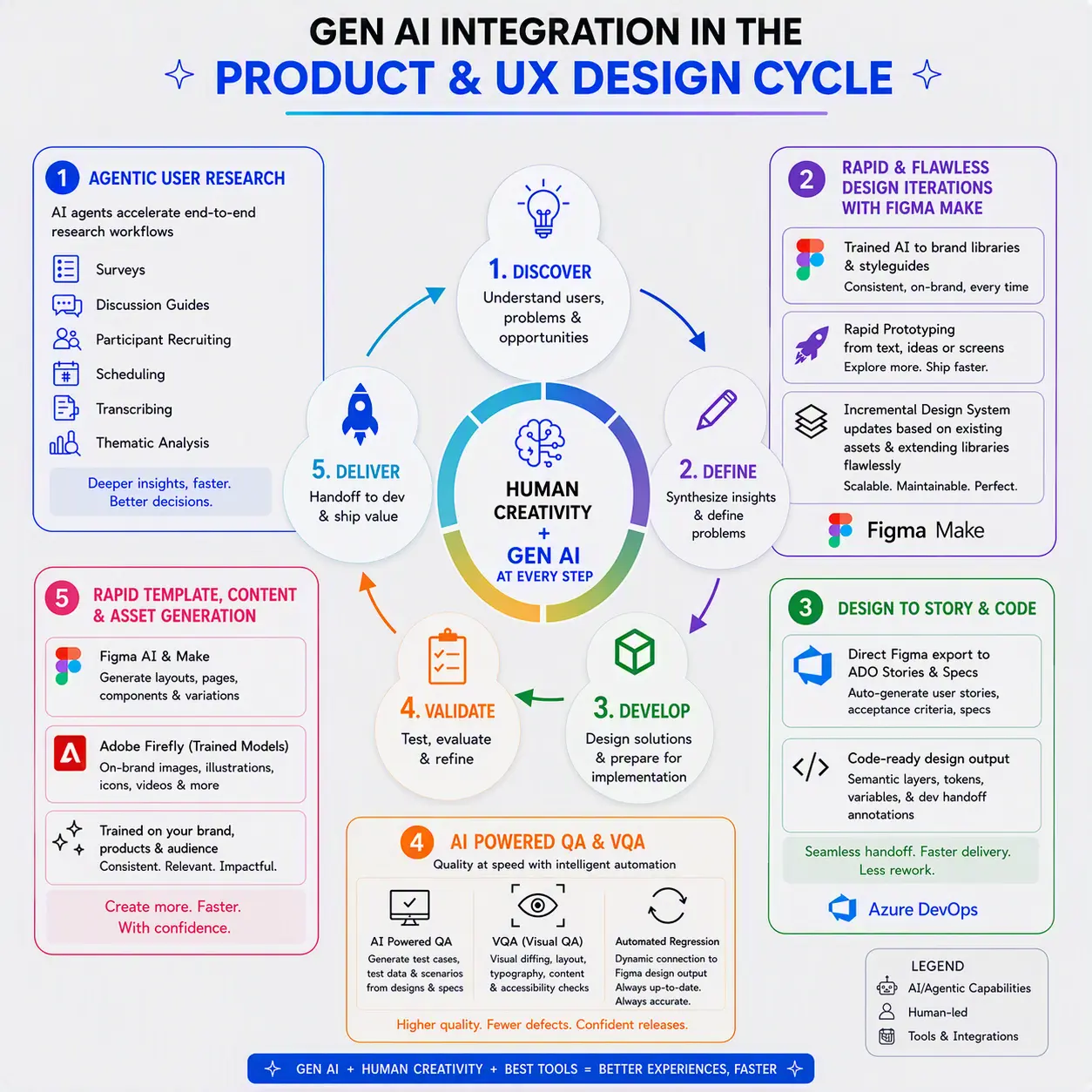
I created the model to connect six stages that were often treated as separate experiments: agentic research, rapid design, design-to-story and code, scalable content generation, automated quality assurance, and performance insight fed back into the next cycle.
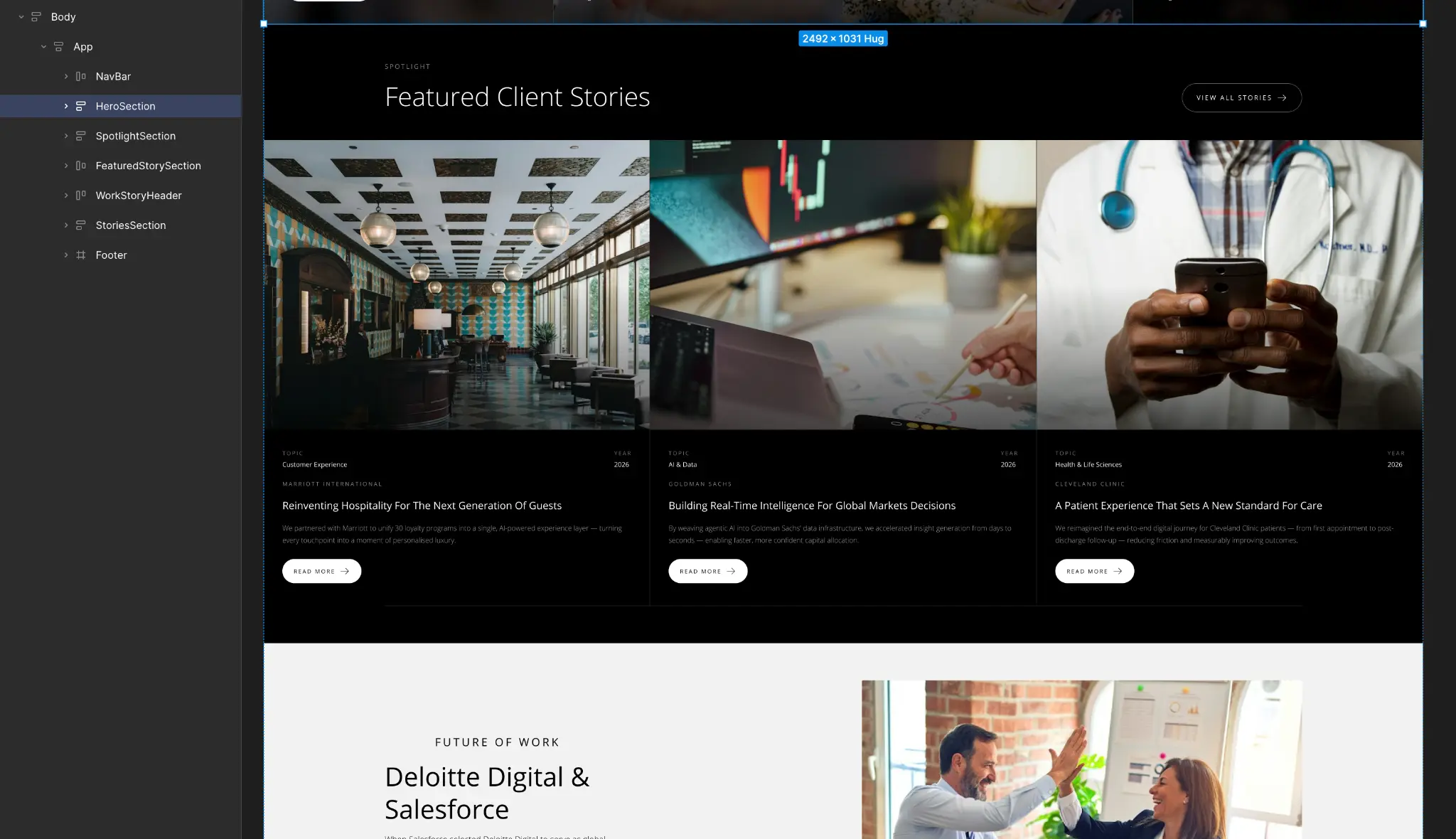
The model is already in use and continues to evolve; the artefacts below show the implemented research workflow, design-system grounding, generated prototypes, custom tooling, code-ready output and controlled templates behind it.
I led adoption alongside implementation. I onboarded the team, ran office hours to resolve questions on live projects and created training materials that translated the model into repeatable steps, examples and review points.
I position AI as an accelerator; researchers, designers and product leaders still own the decisions.
I ground each workflow in approved research, brand guidance, components, tokens and product data.
I keep assumptions, findings, specifications, test results and KPI signals visible and reviewable.
I make privacy, accessibility, security, brand and code review explicit gates in the workflow.
I introduced the model through active delivery, rather than handing over a process diagram. The support structure gave the team a place to learn the workflow, apply it to current work and improve it through use.
Introduced the six stages, roles, source material, outputs and review responsibilities.
Provided regular access for live questions, workflow coaching and practical problem solving.
Created reusable guidance, worked examples and guardrails that teams could follow independently.
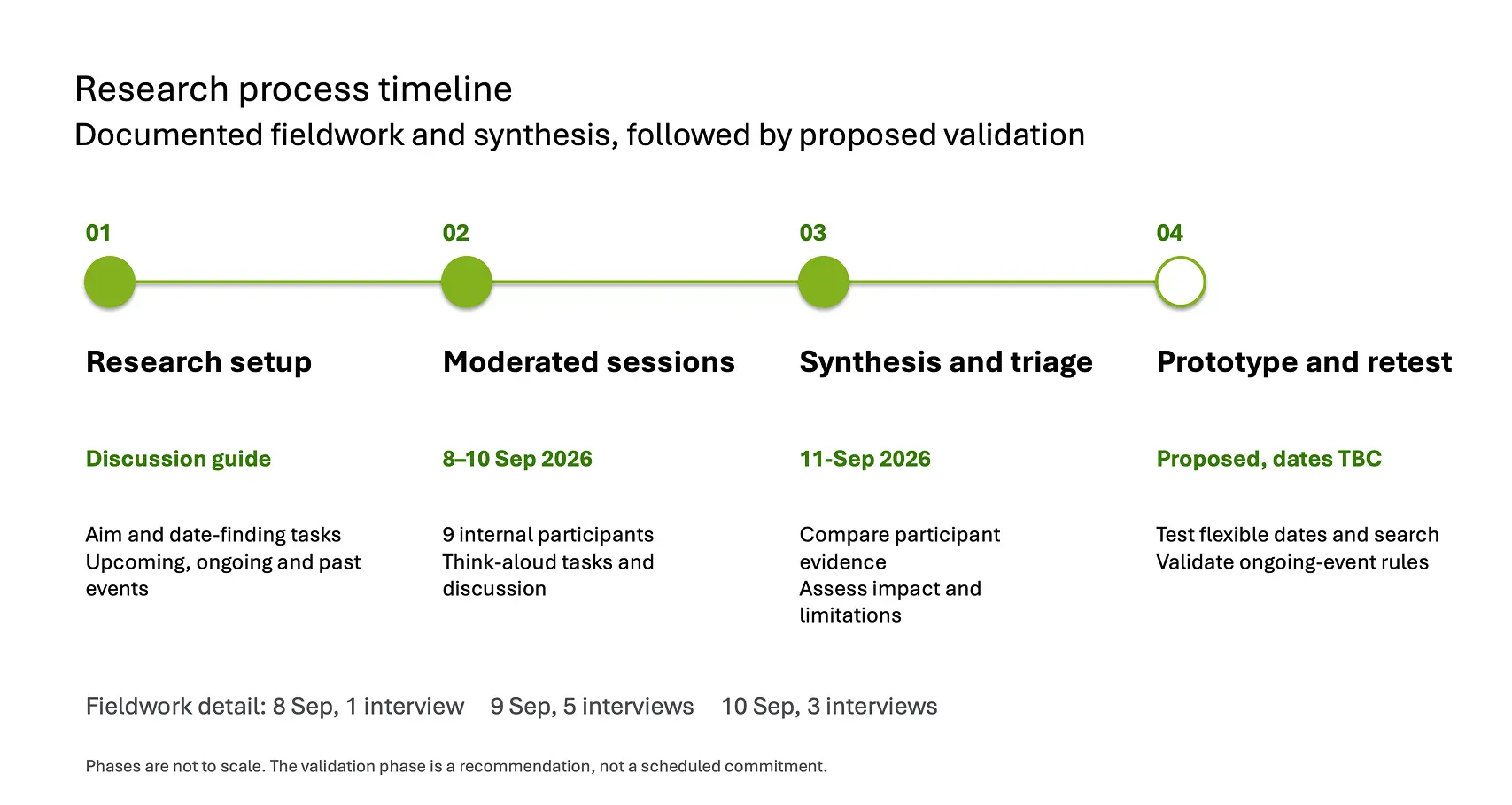
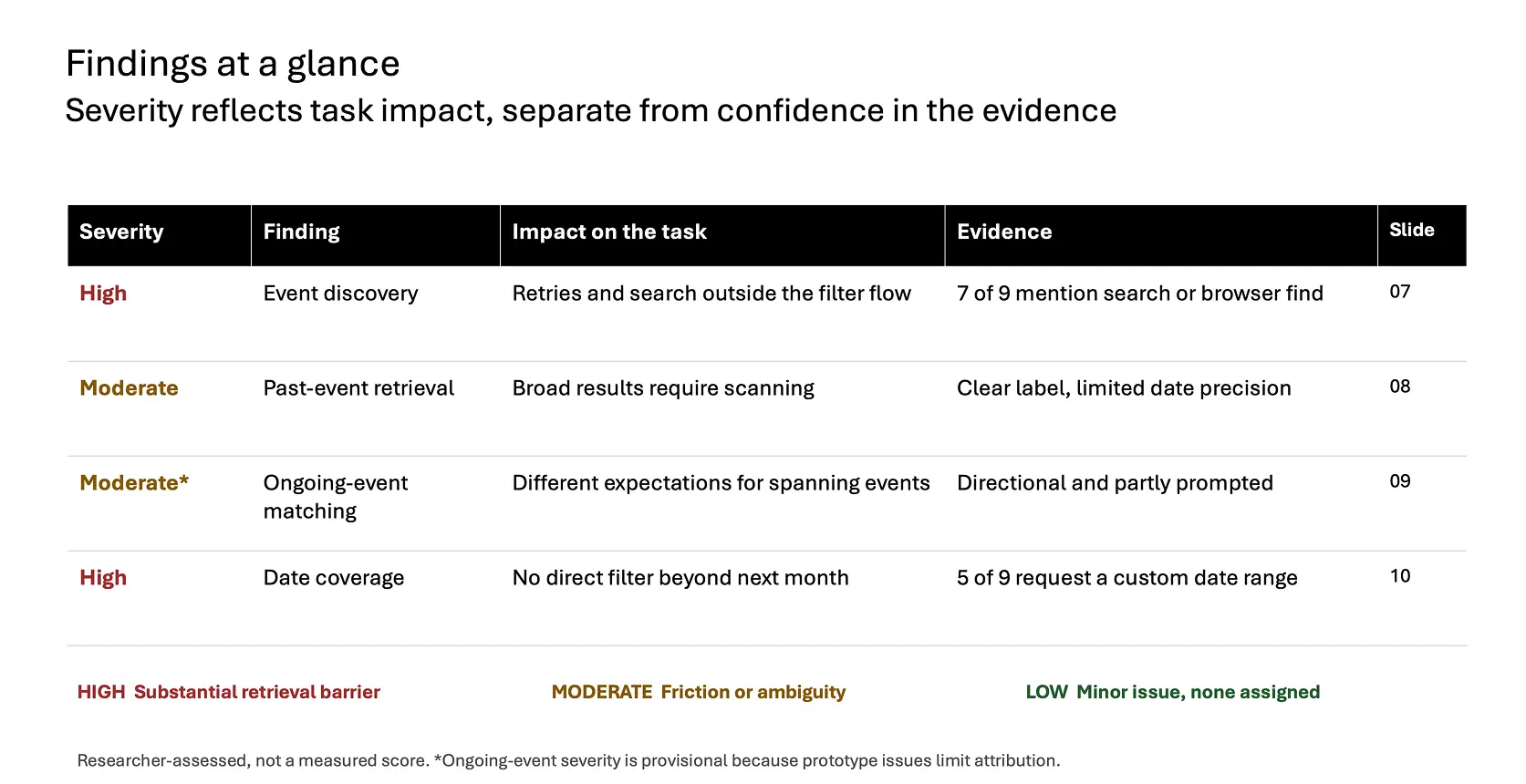
I have integrated agentic support into the research workflow for surveys, discussion guides, recruitment operations, scheduling, transcription and first-pass thematic analysis. The researcher still interrogates the evidence, separates severity from confidence and decides what must be validated next.
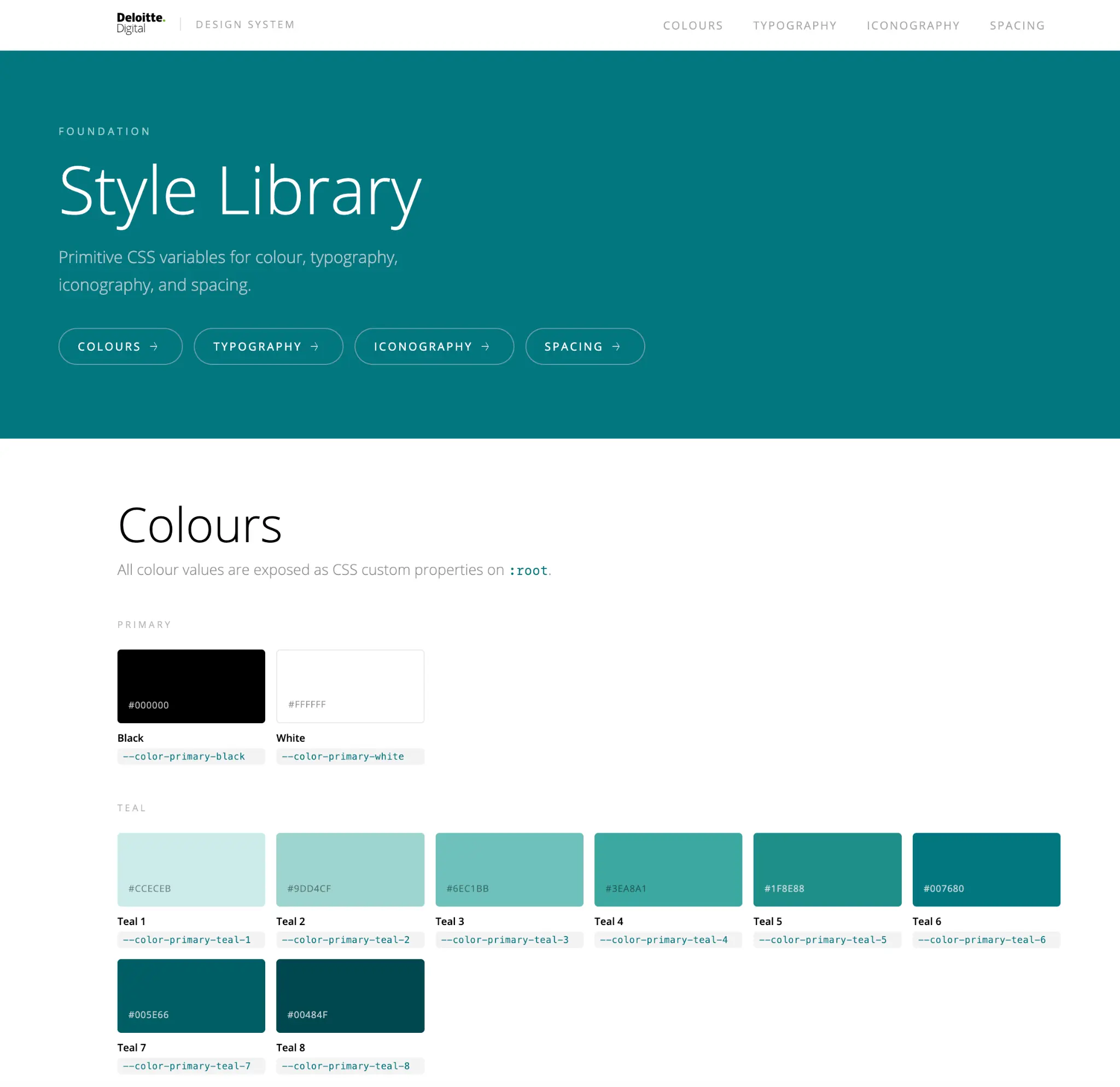
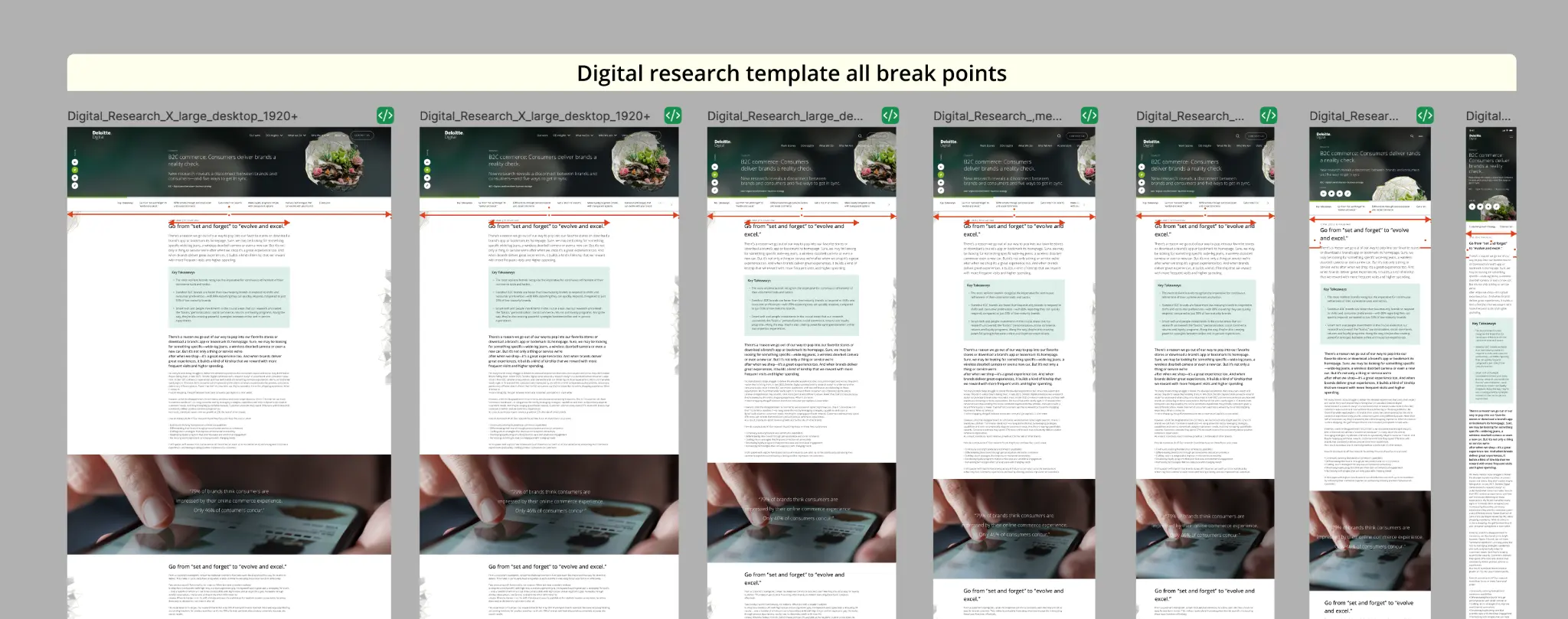
I configured the Figma Make workflow around approved brand libraries, tokens and existing components. That lets teams produce responsive variations and working prototypes quickly without inventing a parallel visual language. New patterns only enter the shared system after review.
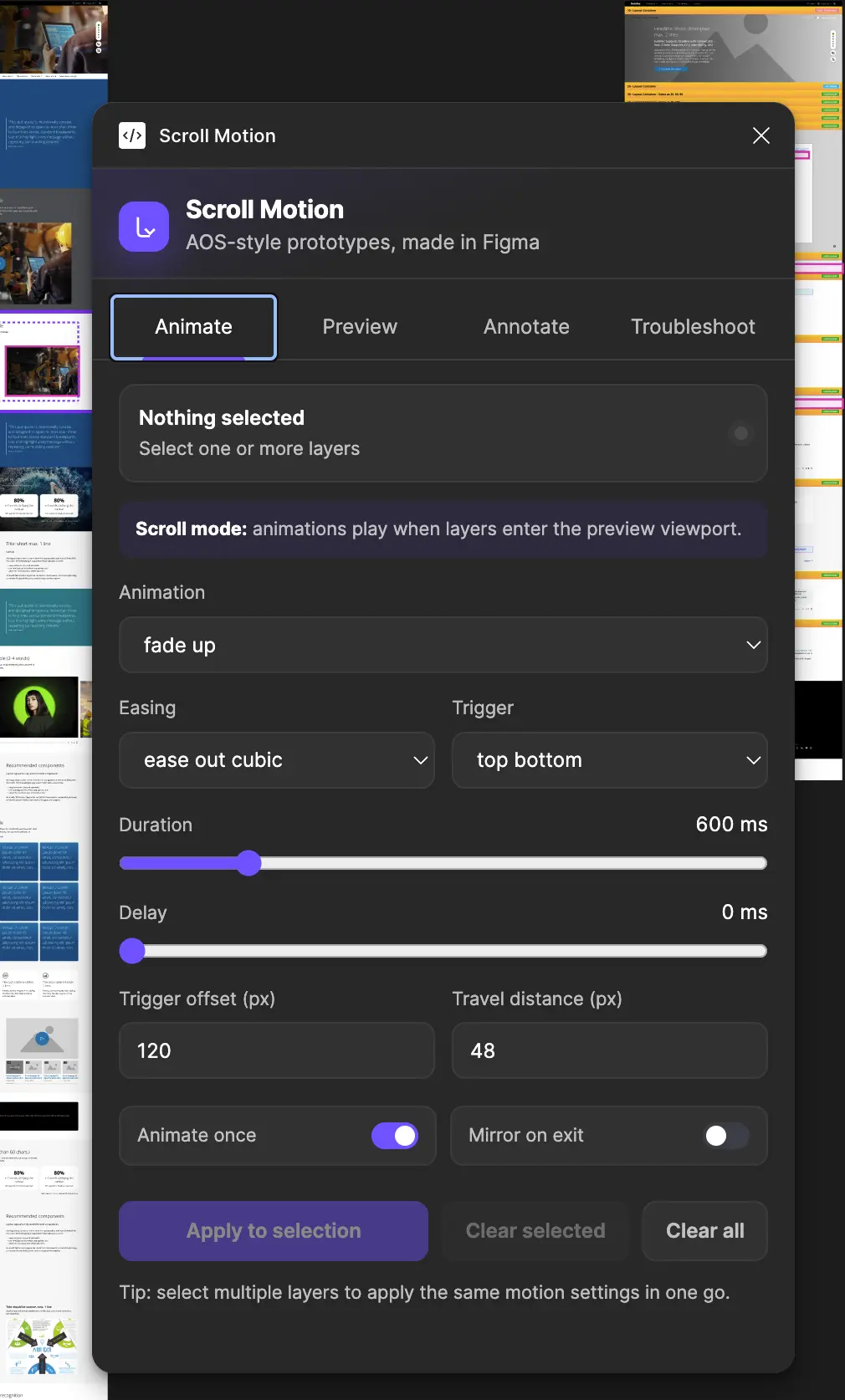
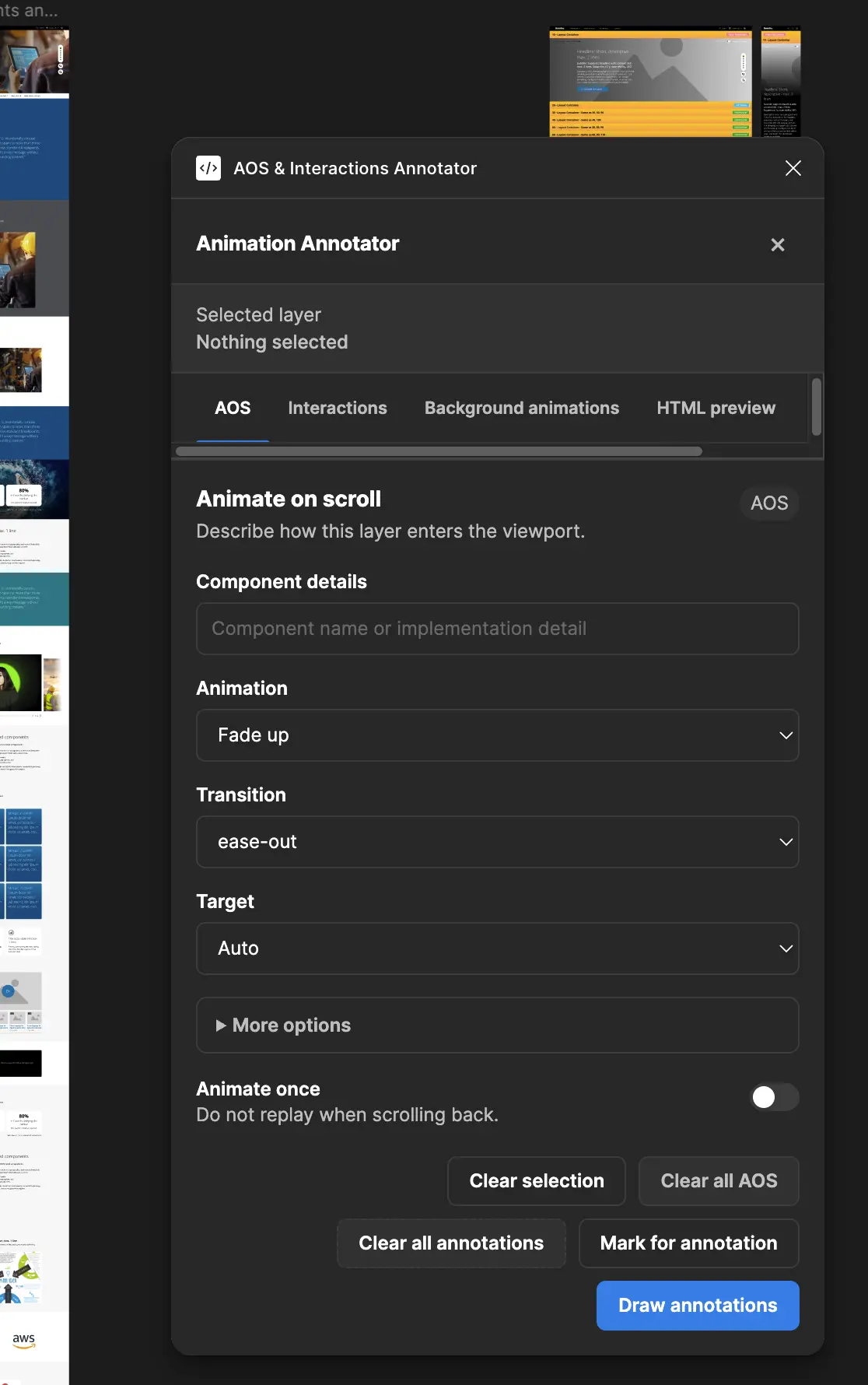
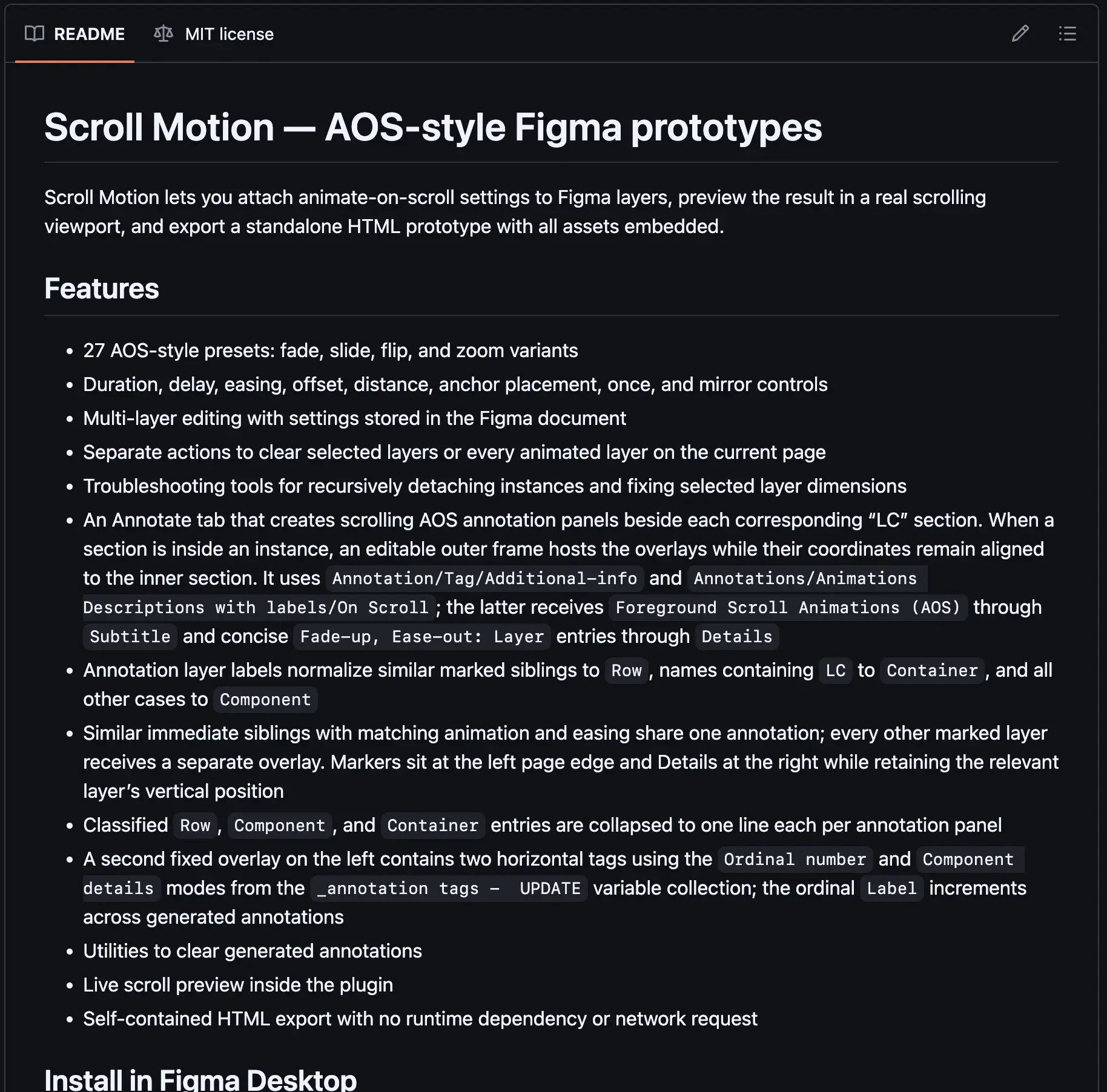
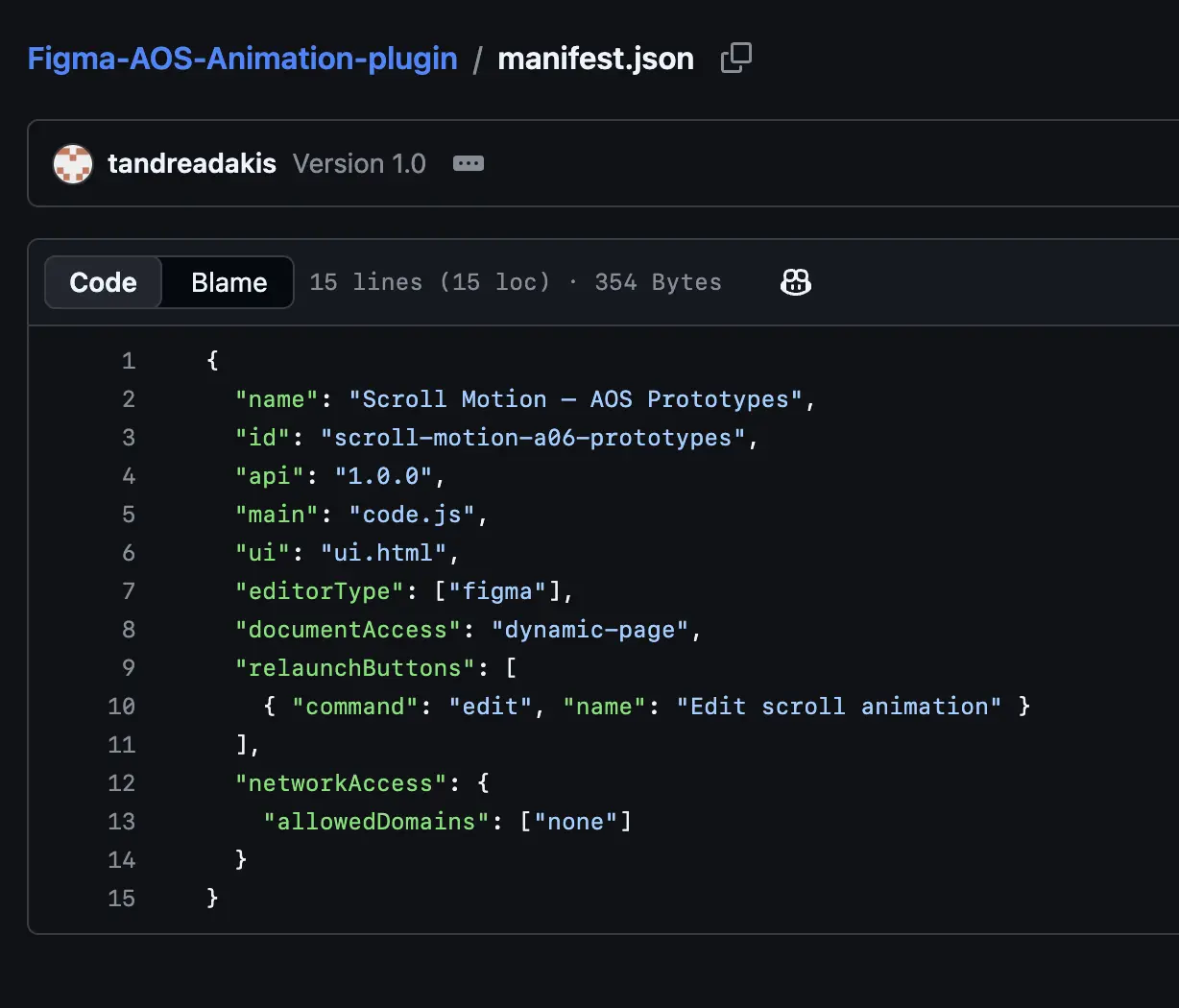
When I identified motion specification as a recurring hand-off gap, I used an agentic development workflow to create a working Figma plugin. Prompting accelerated the build; I retained code review, permission control, documentation and QA. The result converts motion decisions into reusable annotations and exportable behaviour.
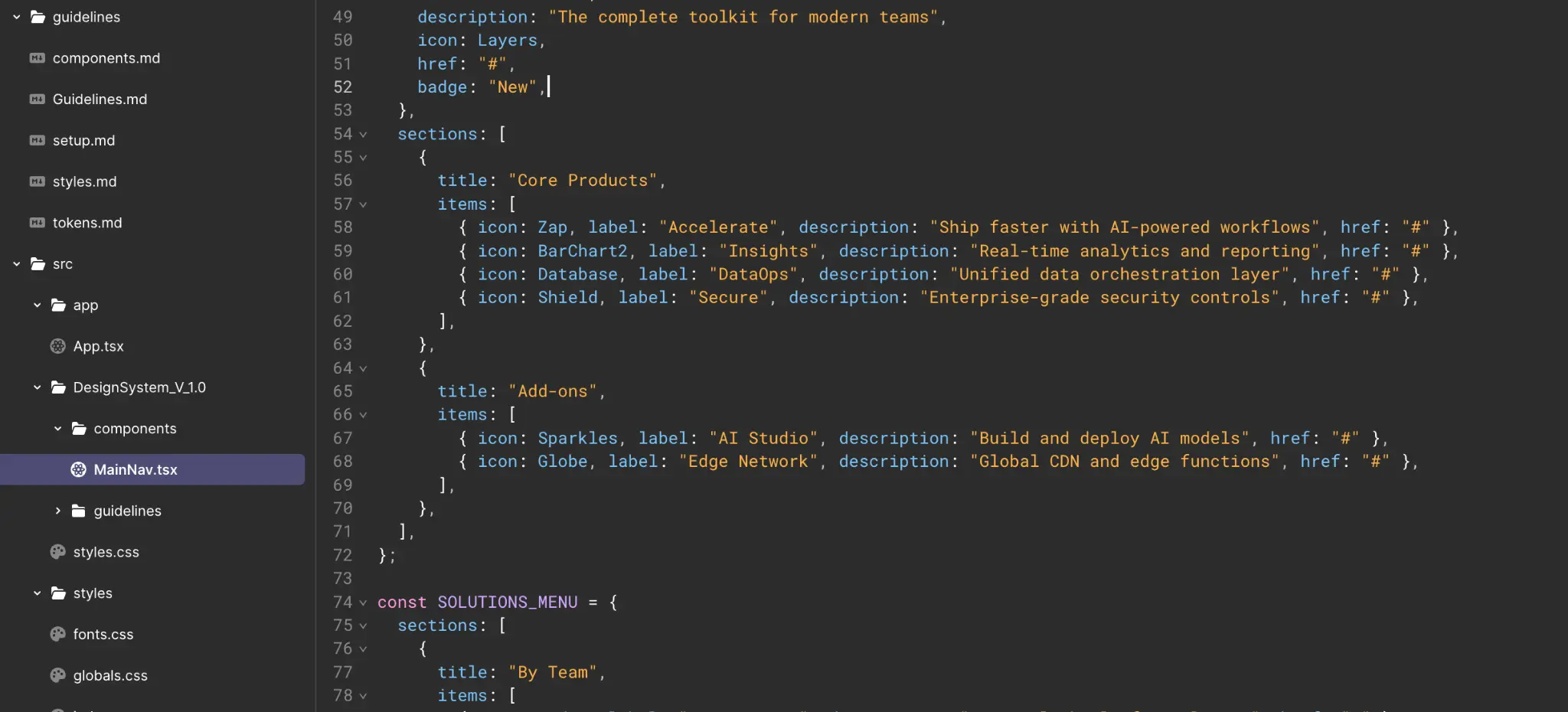
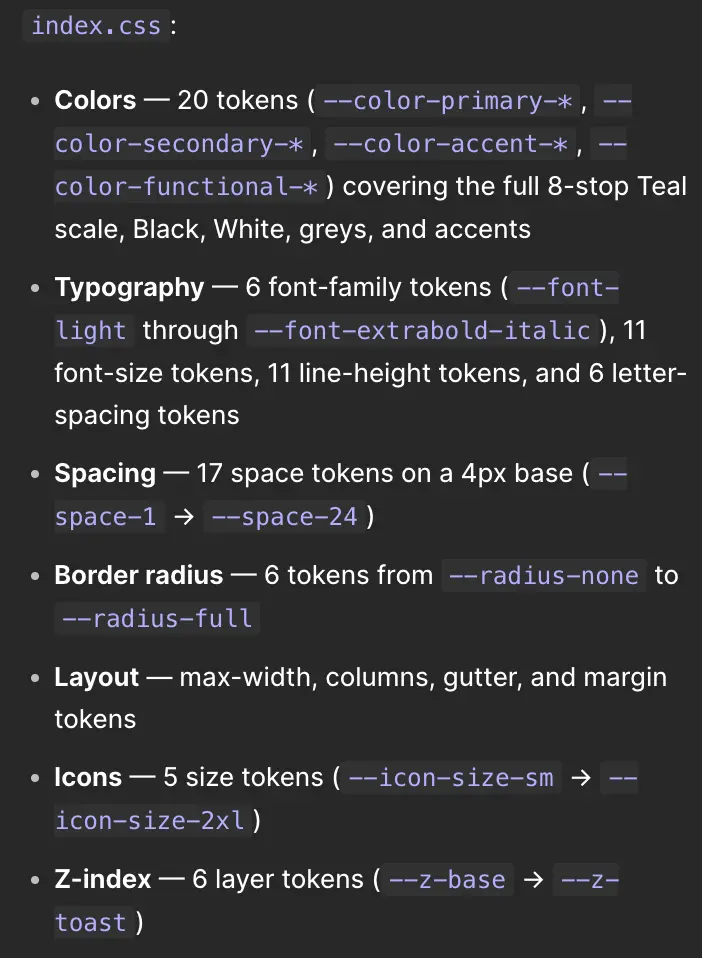
I structured the Figma source so it can generate first-pass Azure DevOps stories, acceptance criteria and specifications while exposing code-ready tokens, semantics and layout rules. Product, design and engineering review the generated output together before it enters delivery.
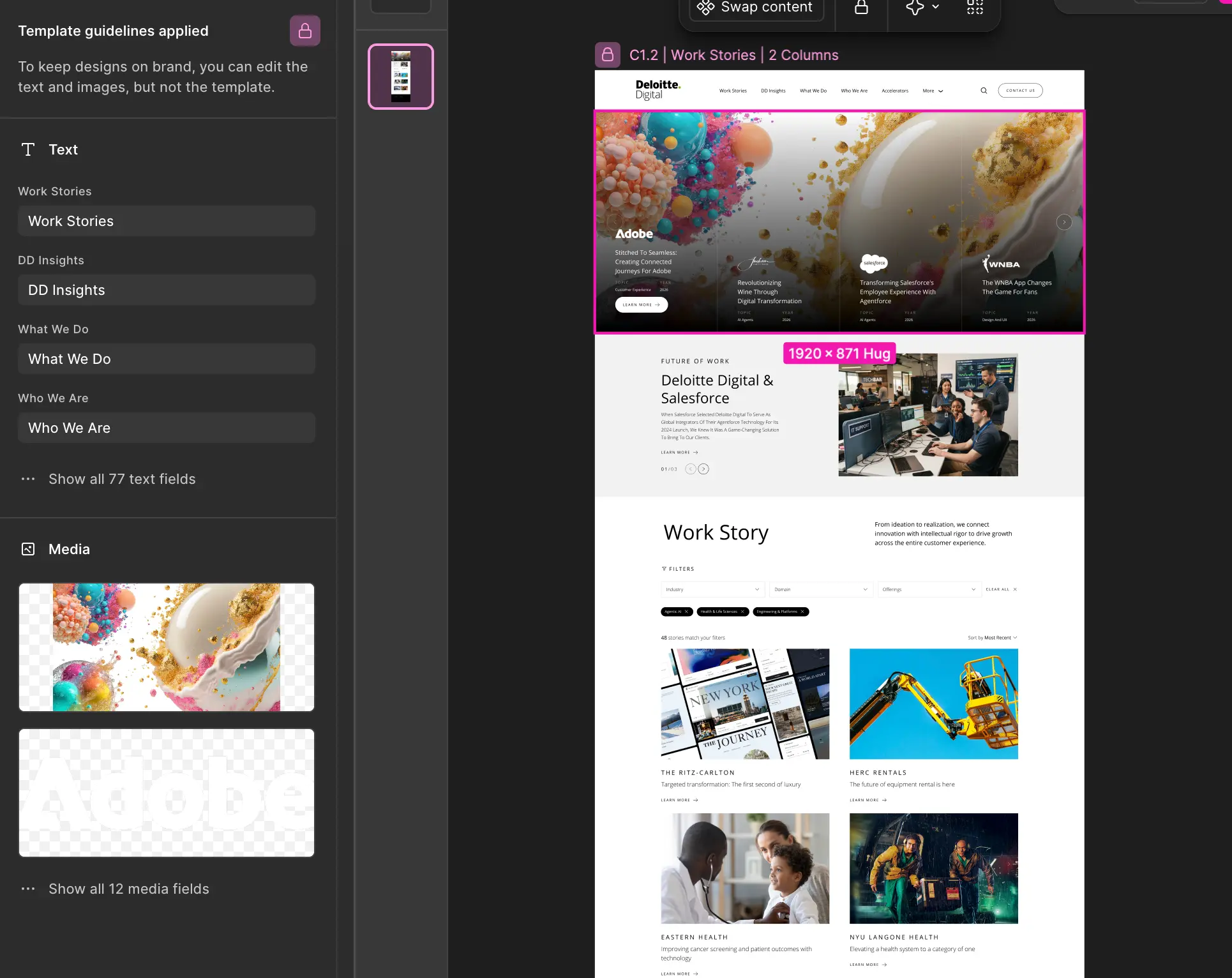
I introduced controlled Figma Make and Firefly workflows around approved templates. Locked structures, defined editable fields and curated media let teams produce page, content and asset variations without rebuilding the composition or drifting away from the brand system.
The model uses approved Figma output as the reference for automated regression and visual QA. It flags layout, component, content and accessibility differences for review; the team then records whether each difference is a build defect, an accepted variation or a required update to the design source.
Components, tokens, states, breakpoints and expected behaviour.
Visual diffs, interaction checks and accessibility signals across key journeys.
Fix the build, accept the variation or update the source of truth.
I use AI-assisted analysis across Copilot, Userlytics and customer-data platforms to connect behavioural signals, qualitative feedback and business outcomes. The team reviews the patterns, tests attribution and converts prioritised opportunities into the next research questions, experiments and design-system updates.
Completion, conversion, abandonment, pathing, errors and performance.
Usability evidence, support themes, sentiment and emerging needs.
Combine scale, severity, value and evidence quality before acting.
Turn live evidence into new questions, experiments and system updates.
Leadership examples spanning enterprise systems, global digital platforms, product operations and measurable UX optimisation.